Pet highlights
Pet highlights beta
Keep your pet's best moments automatically.
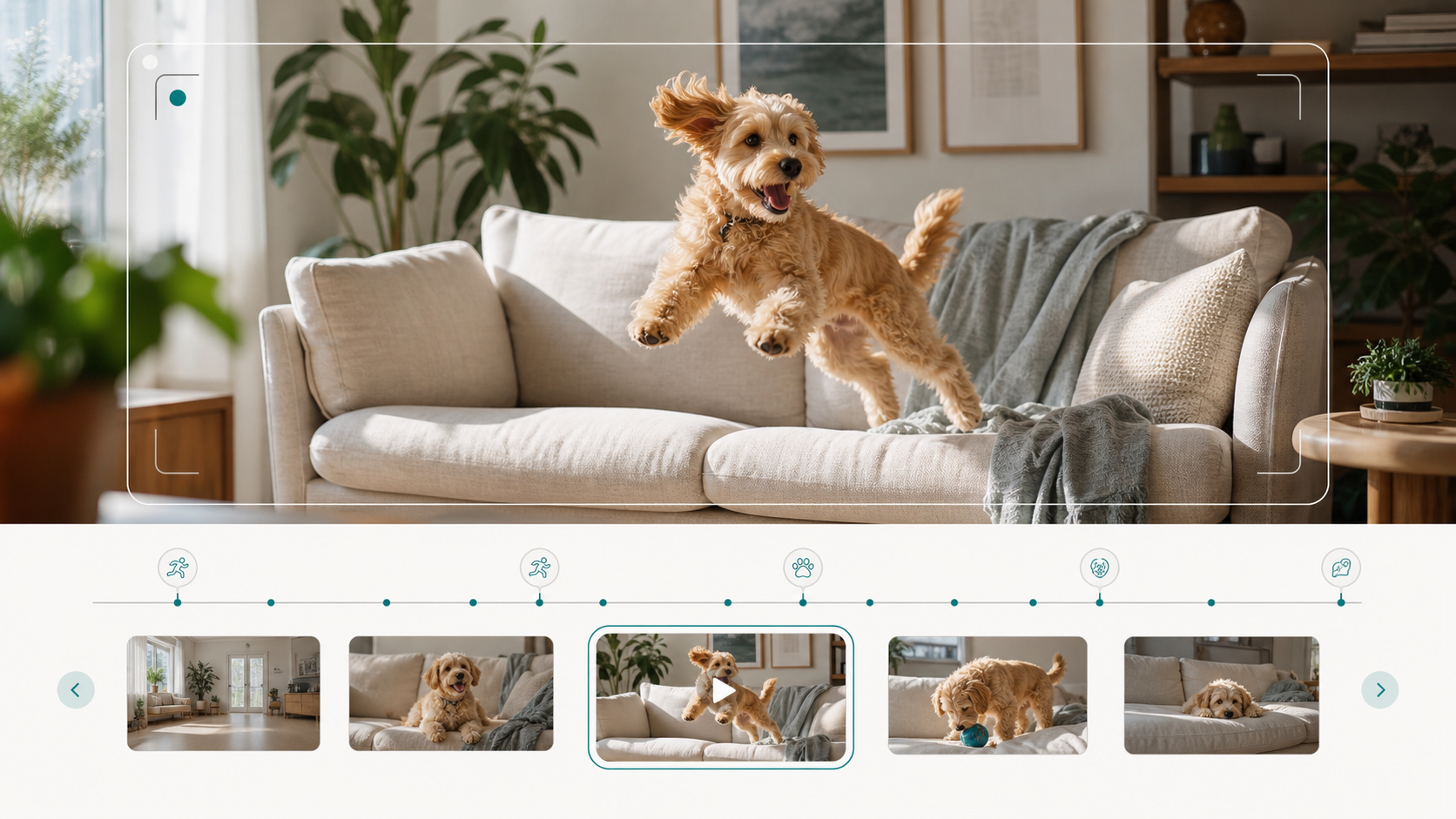
HarborNavi helps find playful, funny, or unusual pet moments and turn them into short clips worth keeping.
Your camera already sees the moment. HarborNavi helps you keep the part you actually care about.
Indoor cameraPet highlightsHome timelineClips worth keeping
Why this line matters
Each part maps to a real home problem.
Home timeline
Moments belong with household context.
The same timeline can hold camera clips, event summaries, and device state changes.Low-noise review
Less scrolling through routine footage.
The goal is to surface clips worth checking without turning every movement into a notification.Real home scenarios
Start with scenes people already understand.
Keep your moments
Keep your pet's best moments.
Pet moments usually disappear into hours of routine footage. HarborNavi finds the short clips that feel worth keeping.
Less camera noise
Reduce camera noise.
Choose the events that matter, then review alerts and clips without scrubbing through hours of routine footage.
Workflow preview
Describe what you want your home to do.
Choose a scene and see the kind of timeline HarborNavi is designed to create.
- 10:14 AM - Package delivered
- 10:37 AM - Motion near front door
- 10:38 AM - Package no longer visible
- 10:38 AM - Alert: Package may be missing
- 2:41 PM - Dog jumps onto the sofa
- 2:41 PM - Playful movement detected
- 2:42 PM - Highlight clip kept
- 2:42 PM - Moment ready to share
- 8:12 PM - Motion in the driveway
- 8:13 PM - Event summarized
- 8:13 PM - Kept in your home timeline
How it works
From household signal to reviewable workflow.
1
Choose the pet camera.
Start with the indoor camera that already sees the couch, crate, room, or play area.
2
Find moments worth keeping.
HarborNavi looks for playful, funny, or unusual pet activity.
3
Review short highlights.
Keep the clip and context without scrolling through routine hours.
Private by design
Useful home AI needs clear boundaries.
HarborNavi is being designed around selected household workflows: useful events, moments worth keeping, and device actions that stay reviewable.
The direction is local-first, authorized cloud fallback only when needed, and no prevention or recovery promises.
- Camera credentials and device state are designed to stay local by default.
- Cloud fallback should be authorized, redacted, and auditable.
- Device workflows should stay reviewable before sensitive actions run.
Early access
Join the early access list.
Tell us which home workflow matters most to you. We will follow up as early access opens.
FAQ
Plain answers before launch.
Does HarborNavi replace my current camera?
No. HarborNavi is being designed for homes that already use cameras and smart-home devices. The first beta focuses on turning selected signals into useful events, alerts, moments worth keeping, and reviewable actions.
Does HarborNavi replace Home Assistant?
Home Assistant remains a strong integration layer. HarborNavi focuses on making selected HA, Zigbee, and IR workflows easier to create, review, approve, and explain in plain language.
Does HarborNavi upload all my video?
HarborNavi is being designed local-first. The useful workflow is selected events, alerts, and moments worth keeping, with raw camera video kept local by default.
Can HarborNavi stop a package from being taken?
No product can promise that. HarborNavi is intended to help detect and summarize when a delivered package may have gone missing, so you can respond faster and avoid manually reviewing hours of footage.
Is this available now?
HarborNavi is preparing for early access before the planned October 2026 launch window. Join the waitlist if you want beta updates or launch progress.
See the HarborNavi fact sheet for current product status, compatibility boundaries, and official protocol sources.