

HarborNavi Pilot Program
Sci-fi intelligence. Home-warmed care. Kept entirely at home.
HarborNavi gives the home you already own one local mind: it understands context, remembers what matters, and turns plain words into coordinated action without sending your private household data away.
Enter your email for early-bird pricing and launch updates.
We could not save your email. Please try again.
Submit once to join the waitlist and receive product updates. Unsubscribe anytime. Privacy


The mind smart homes were missing
Cameras see. Speakers listen. Apps send alerts. HarborNavi is designed to connect the selected pieces into local household context that can support a useful response.
It knows what matters now
Navi is designed to let routine moments wait, surface configured urgent changes, and give you the calm version when you get home.

A quiet intelligence at home
Understand context + Orchestrate devices + Remember what matters
Selected events, device changes, and requests become one local picture of what is happening at home.
A situation, not another stream of isolated alerts.Navi connects context across time, asks when something is unclear, and prepares the next useful step.
Quiet coordination without a new rule for every change.Everyday words become temporary plans across supported devices, with permissions for sensitive changes.
Actions stay clear, reviewable, and under your control.Each approved interaction gives the next request useful context, so the home does not start from zero every time.
Instinct, with boundaries
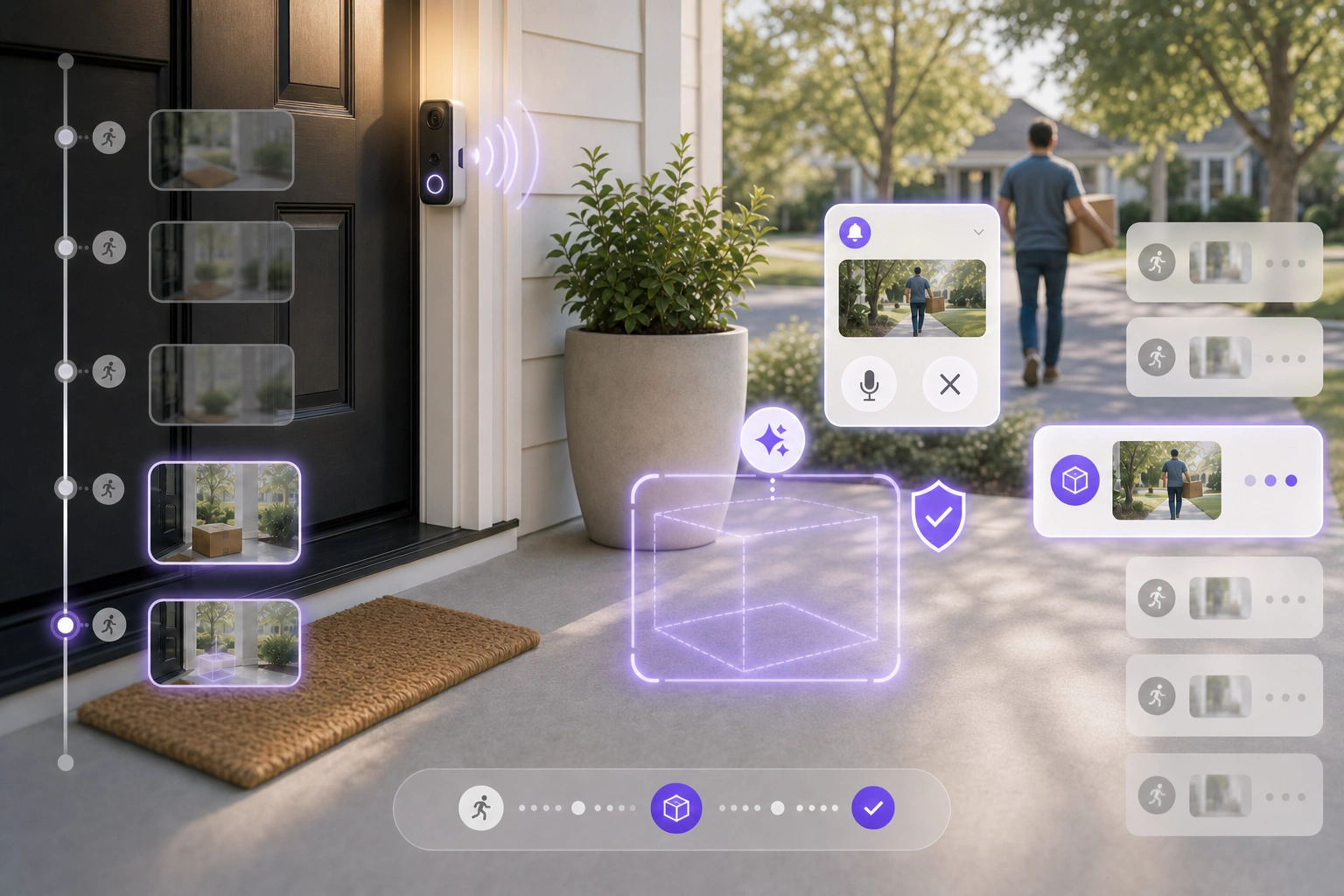
HarborNavi can connect delivery and presence signals, notify you, save the key clip, and prepare an allowed response. Escalation stays with you.
Package removed after delivery. Owner notified. Supported porch warning ready.
The plain-words bridge
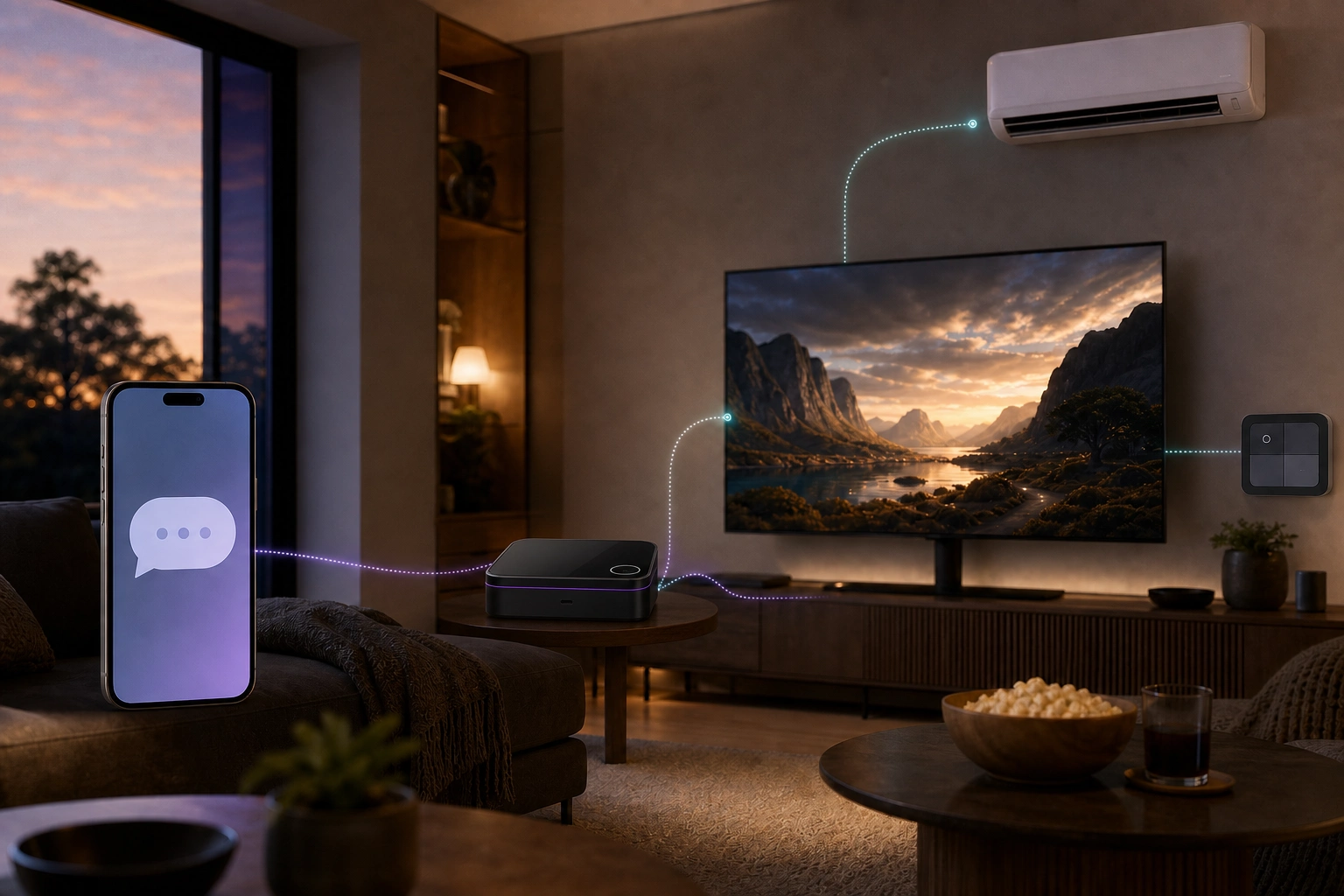
HarborNavi uses local household context and your room and device mappings, asks what is unclear, and builds a temporary plan instead of another rule to maintain.
YouMovie night.
HarborNaviLiving-room TV, lights at 20%, AC at 72°F?
YouYes, and mute routine alerts for two hours.
4 devices · 1 temporary plan · Ready to enablePrivacy is the foundation
HarborNavi is integrating Mode IO.AI's dynamic privacy and AI safety technology into its local-first architecture.Sensitive context can be reviewed before an optional external model receives a request, while private household context remains on HarborNavi.
Explore Mode IO.AI privacy technologyDynamic privacy decision
Identify private details, judge their purpose, and redact, rewrite, block, or keep them local before an optional cloud request.
Protect names, locations, routines, and household context without stripping away the intent needed to complete the task.
HarborNavi's privacy work draws on an R&D team background from the Hong Kong University of Science and Technology and enterprise AI governance.
Figures summarize Mode IO.AI internal benchmarks, team experience, and accumulated security-scenario data. Deployment results may vary.
Works with your home
Keep the cameras, sensors, lights, and Home Assistant setup that already work. Supported paths contribute to one local household context without locking you to one brand.
Use supported entities, scenes, and automations you already have.
Bring selected local camera events into household context.
Connect useful device state and actions.
Support common sensors, switches, and small devices.
Connect TVs and climate devices that still use a remote.
Compatibility varies by device and setup. A clear supported-device list will be available before orders open.
Dedicated local hardware
A dedicated box gives household context, local intelligence, device links, and trust boundaries one stable home.
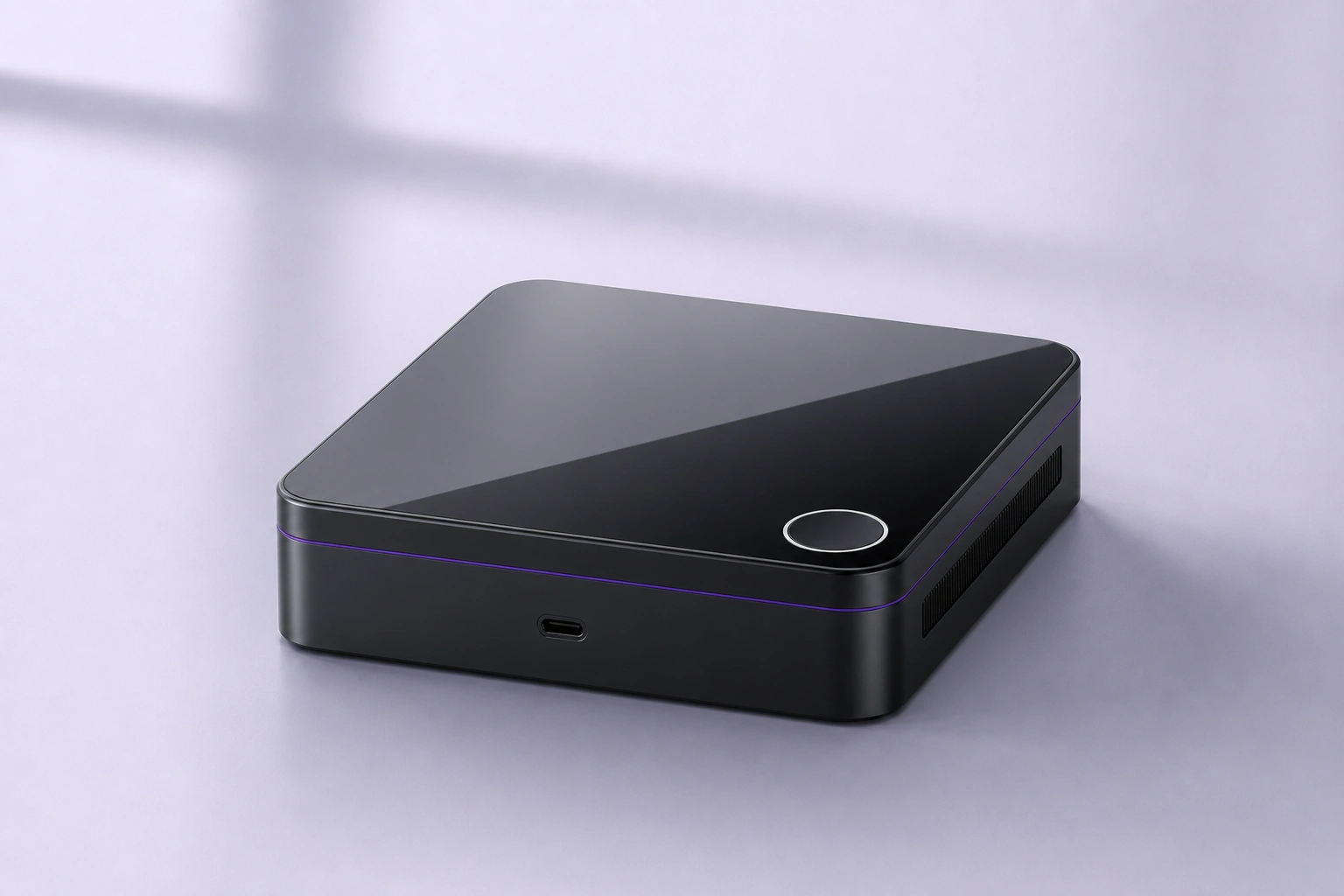
Planned 128GB eMMC plus two M.2 slots give selected events, clips, and home history a local place to live.
Dedicated K3-class compute gives understanding and home workflows a stable place to run.
Dual 2.5GbE, HDMI, Home Assistant, selected cameras, planned Zigbee, and IR.
Planned fingerprint confirmation and a secure element protect sensitive setup changes.
More connected is not always more intelligent
Each category solves a different part of the home. The difference is what understands the full situation when routines change.
| Approach | HarborNaviPrivate household intelligence | Camera AIReolink, Tapo, eufy | Cloud home AIGoogle Home, Alexa+ + Ring | Local automation stacksHome Assistant + Frigate, Homey Pro | Professional whole-homeJosh.ai, Control4 |
|---|---|---|---|---|---|
| Built around | Understanding home context, remembering what matters, and coordinating allowed actions | Video and security events | Conversation, summaries, and control inside an account ecosystem | Devices, entities, rules, and owner-built automations | Dealer-designed whole-home control |
| Who pieces it together | HarborNavi keeps the household context together locally | The camera vendor's event history | The vendor cloud and supported services | The owner or integrator | The dealer or integrator |
| When the routine changes | Clarify, wait, notify, or act from local household context | Detect, search, or summarize video | AI behavior inside supported services | The owner adds conditions, helpers, and exceptions | The dealer updates scenes and policies |
| Context and follow-up | Local household context across events, devices, and conversations | Footage and event history | Account and service memory | Possible with owner-built components | System state and configured scenes |
| From understanding to action | Conversation, clarification, permission, then coordinated action | Alerts and vendor-specific responses | Voice and actions inside supported ecosystems | Broad actions through user-built automations | Broad dealer-configured actions |
| Setup and maintenance | Designed for self-install with supported paths made clear | Vendor app | Consumer account and cloud setup | DIY or self-managed stack | Professional installation |
| Data path and subscription | Core local features without a required subscription | Varies by vendor and model | Advanced features and plans vary | Local core is possible; add-ons vary | Vendor, dealer, and service terms vary |
Understanding home context, remembering what matters, and coordinating allowed actions
Video and security events
HarborNavi keeps the household context together locally
The camera vendor's event history
Clarify, wait, notify, or act from local household context
Detect, search, or summarize video
Local household context across events, devices, and conversations
Footage and event history
Conversation, clarification, permission, then coordinated action
Alerts and vendor-specific responses
Designed for self-install with supported paths made clear
Vendor app
Core local features without a required subscription
Varies by vendor and model
Understanding home context, remembering what matters, and coordinating allowed actions
Conversation, summaries, and control inside an account ecosystem
HarborNavi keeps the household context together locally
The vendor cloud and supported services
Clarify, wait, notify, or act from local household context
AI behavior inside supported services
Local household context across events, devices, and conversations
Account and service memory
Conversation, clarification, permission, then coordinated action
Voice and actions inside supported ecosystems
Designed for self-install with supported paths made clear
Consumer account and cloud setup
Core local features without a required subscription
Advanced features and plans vary
Understanding home context, remembering what matters, and coordinating allowed actions
Devices, entities, rules, and owner-built automations
HarborNavi keeps the household context together locally
The owner or integrator
Clarify, wait, notify, or act from local household context
The owner adds conditions, helpers, and exceptions
Local household context across events, devices, and conversations
Possible with owner-built components
Conversation, clarification, permission, then coordinated action
Broad actions through user-built automations
Designed for self-install with supported paths made clear
DIY or self-managed stack
Core local features without a required subscription
Local core is possible; add-ons vary
Understanding home context, remembering what matters, and coordinating allowed actions
Dealer-designed whole-home control
HarborNavi keeps the household context together locally
The dealer or integrator
Clarify, wait, notify, or act from local household context
The dealer updates scenes and policies
Local household context across events, devices, and conversations
System state and configured scenes
Conversation, clarification, permission, then coordinated action
Broad dealer-configured actions
Designed for self-install with supported paths made clear
Professional installation
Core local features without a required subscription
Vendor, dealer, and service terms vary
Examples vary by model and plan. This comparison focuses on the job each category is usually built to do.
Official sources, checked July 2026: ReolinkTapoeufyGoogle HomeAlexa+Home AssistantFrigateHomeyJosh.aiControl4
Questions before launch
No. Memory gives HarborNavi useful context. Its job is to understand what is happening, coordinate supported devices, and respond in plain words.
No. HarborNavi is local-first household intelligence, not a cloud voice layer. It connects selected home signals, devices, permissions, and conversations in one place at home.
It uses local storage for selected photos, clips, events, and home history, but it is built for household intelligence rather than general file-server work.
Cameras are one source. HarborNavi connects selected moments with sensors, device state, and household permissions.
No. Home Assistant remains the device layer; HarborNavi adds local context, conversation, and simpler temporary plans.
No. We start with supported Home Assistant paths, selected RTSP / ONVIF cameras, and planned Zigbee and IR.
For sensitive setup changes such as adding a member, expanding permissions, or pairing a device.
Core household context, permissions, and device workflows stay local. External models are optional, and sensitive context can be reviewed before a request leaves home.
The waitlist is the quickest way to receive launch news and early-bird pricing updates. The Pilot Program is a separate application for a limited group of families to test HarborNavi at home for two weeks and share structured feedback. Joining the waitlist does not submit a Pilot Program application.
HarborNavi waitlist
Follow the build and be first in line for early-bird pricing.
We could not save your email. Please try again.
Submit once to join the waitlist and receive product updates. Unsubscribe anytime. Privacy
You're on the list
Your email has been added. No confirmation step is required.
Optional · About 3–5 minutes
Tell us which devices you already use and what you would most want HarborNavi to help with. Your answers will guide compatibility testing and product priorities.